Captions in seconds, not hours
Stop spending time typing out captions manually or fighting auto-sync issues. CaptionX transcribes your audio and places captions directly into your Premiere Pro timeline in one click.

CaptionX generates accurate automatic captions in 100+ languages directly inside your Adobe Premiere Pro timeline. No exporting, no manual sync, no external tools.
Free to try — no credit card required.
CaptionX handles the captioning so you can stay in your edit.
Stop spending time typing out captions manually or fighting auto-sync issues. CaptionX transcribes your audio and places captions directly into your Premiere Pro timeline in one click.
Select your language inside the panel and generate. English, Spanish, French, Portuguese, Japanese, Korean — CaptionX handles them all without leaving your editor.
No exporting, no uploading your video to another tool, no re-importing. CaptionX lives in your extension panel and works directly on your active sequence.
Captions that used to take 30–60 minutes per video now take seconds. CaptionX gives that time back so you can focus on the edit, not the admin.
How it works
From install to captions in your timeline in under two minutes.
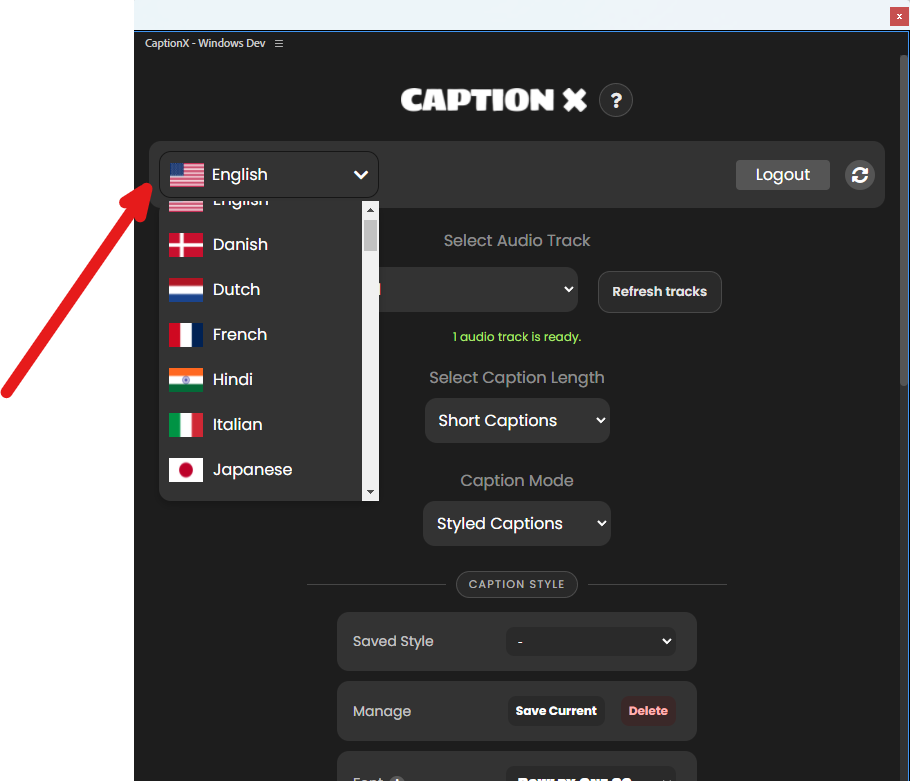
Open the CaptionX panel inside Premiere Pro. CaptionX supports 100+ languages: pick yours, or use auto-detect.
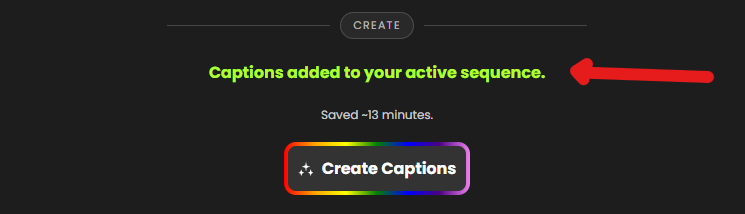
Click Create Captions. CaptionX transcribes your audio and places captions directly into your timeline — no export required.
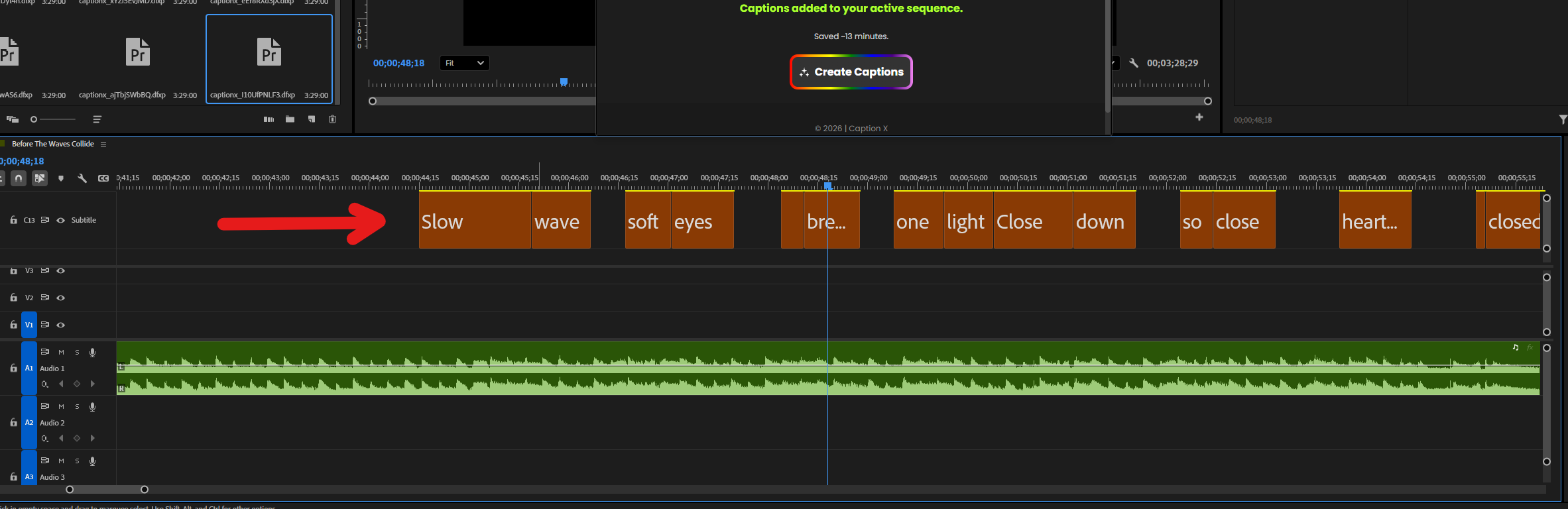
Edit any captions inside Premiere Pro, adjust styling, then export your finished video — captions included.
Who uses CaptionX
Whether you're a solo creator or part of a post-production team, CaptionX fits into the workflow you already have.
Yes — free to get started, no credit card required. Install the extension, open it in Premiere Pro, and start generating captions straight away.
Yes. CaptionX is a native Premiere Pro extension. Captions are placed directly into your timeline — no exporting or manual sync needed.
100+ languages including English, Spanish, French, German, Portuguese, Japanese, Korean, and more. Select your language inside the panel before generating.
Very accurate for most clear audio. CaptionX uses AI speech recognition tuned for video content. You can review and edit any captions inside Premiere Pro before exporting.
Yes. CaptionX generates captions and subtitles directly inside Adobe Premiere Pro — free to get started, no credit card required.
Create a free CaptionX account, then download and install the plugin from your dashboard. It installs directly into Adobe Premiere Pro — no third-party download site or manual setup required.
See how CaptionX stacks up against other captioning tools side by side.
OpenThe full guide to adding and styling captions inside Premiere Pro.
OpenA roundup of the top caption extensions for Premiere Pro editors.
OpenUpload a video in your browser, generate captions, and export a captioned MP4.
OpenGenerate accurate captions automatically from any audio or video file.
OpenTranslate audio or an SRT into another language and download a timed subtitle file.
OpenInstall CaptionX, open your sequence, and generate your first captions in under two minutes — no credit card required.
Free to try — no credit card required.