
Silence Remover forAdobe Premiere Pro
Remove dead air from your timeline in one click. No scrubbing, no manual cuts.
- Detect and remove silence below a custom dB threshold
- Set minimum gap duration — ignore natural breathing pauses
- Optional video sync — cut audio only, or keep video in sync automatically
- Works on audio tracks in your Premiere Pro sequence
- Built directly into CaptionX — no extra app required
Free to try — no credit card required.
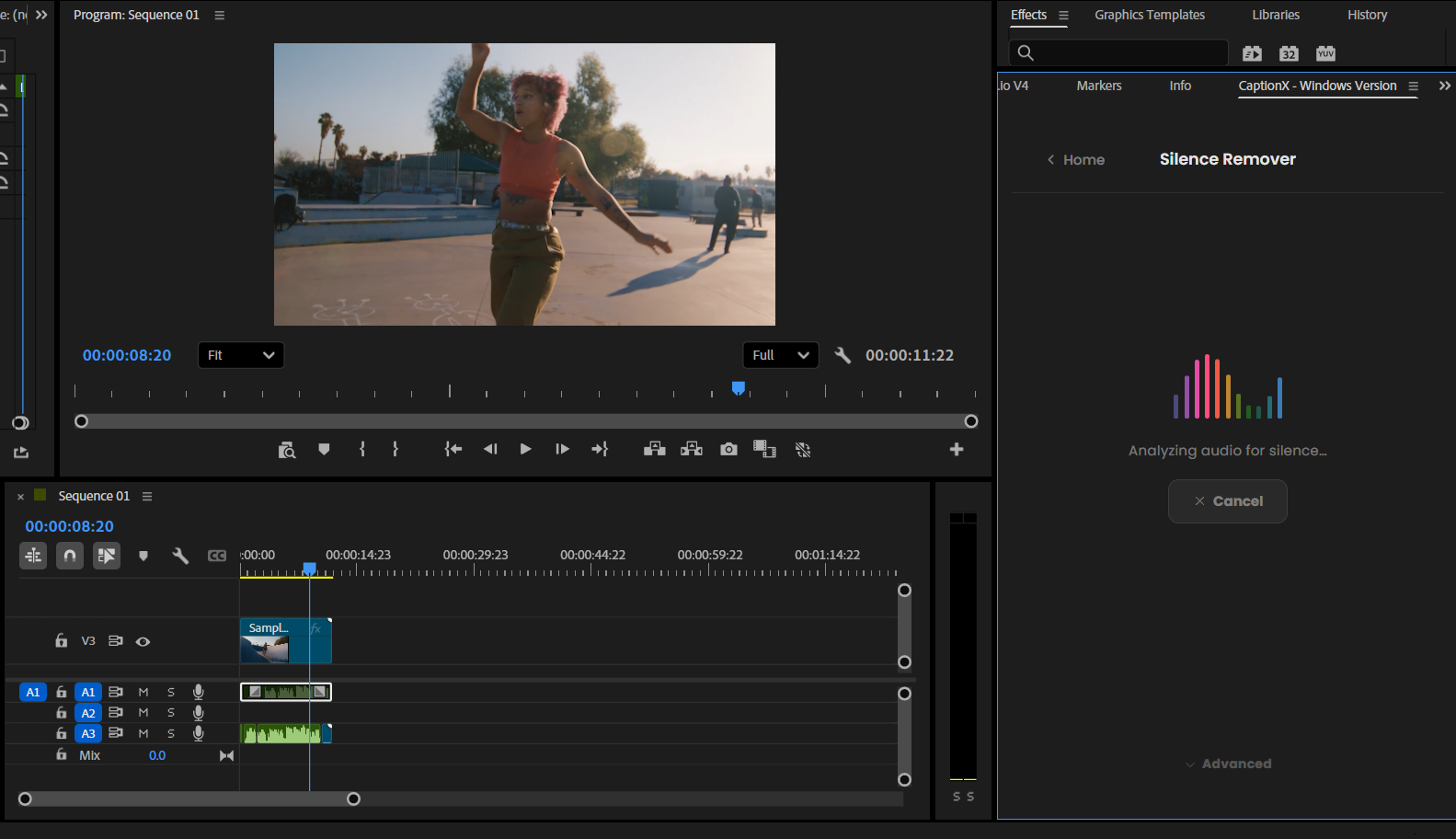
Every podcast editor knows this pain
You record an hour-long interview. Your guest pauses between every sentence. There are hundreds of silent pauses in the timeline. You cut them manually — one by one — before you've even started the real edit. That's 30–45 minutes of work before the creative editing begins.
Silence Remover eliminates that entirely. Set your threshold, hit one button, and remove silence from your video in seconds.
Time saved
30–45 min
Per episode, before editing starts
Cuts made
Auto
Every silence found and removed
Speed
1 click
Scan, detect, cut — done
How Silence Remover works
Open CaptionX
Open the CaptionX panel in Premiere Pro via Window → Extensions → CaptionX.
Set your threshold
Choose your silence threshold (dB level) and minimum gap duration. Short pauses are kept — only real dead air is cut.
Preview gaps
The tool scans your audio and highlights every detected silent gap. Review the list and deselect any you want to keep.
Remove in one click
Approve and every selected gap is removed from your Premiere Pro timeline — razor cuts placed and gaps deleted automatically.
Who it's built for
Podcast editors
Interview recordings are packed with natural silent pauses between speaker turns. Remove silence from audio tracks without touching the speech itself — every dead air moment cleared in one pass.
YouTube creators
Long-form talking-head content becomes faster-paced and more watchable when you use a video silence remover to auto cut silence before the real edit starts. The fastest way to automatically remove silence from video inside Premiere Pro.
Corporate video editors
Training videos, webinar recordings, and talking-head corporate content all benefit from automatic silence removal before any real editing begins. Works on any Premiere Pro sequence.
Frequently asked questions
Can CaptionX keep the video in sync when silence is removed?
Can it remove silence from audio as well as video tracks?
Does it automatically remove silence, or do I need to approve every cut?
Is Silence Remover available now?
Is there a free version?
Is this the best silence remover for Premiere Pro?
Does Silence Remover work in DaVinci Resolve?
Available now
Stop cutting silence by hand
Silence Remover is live in CaptionX for Adobe Premiere Pro. Automatically remove silence from your timeline in one click — no export, no manual razor cuts.
Already using CaptionX? Download the plugin →